
Dashboard
The Dashboard is the first page you see after logging in. It provides a quick overview of the current attendance status.
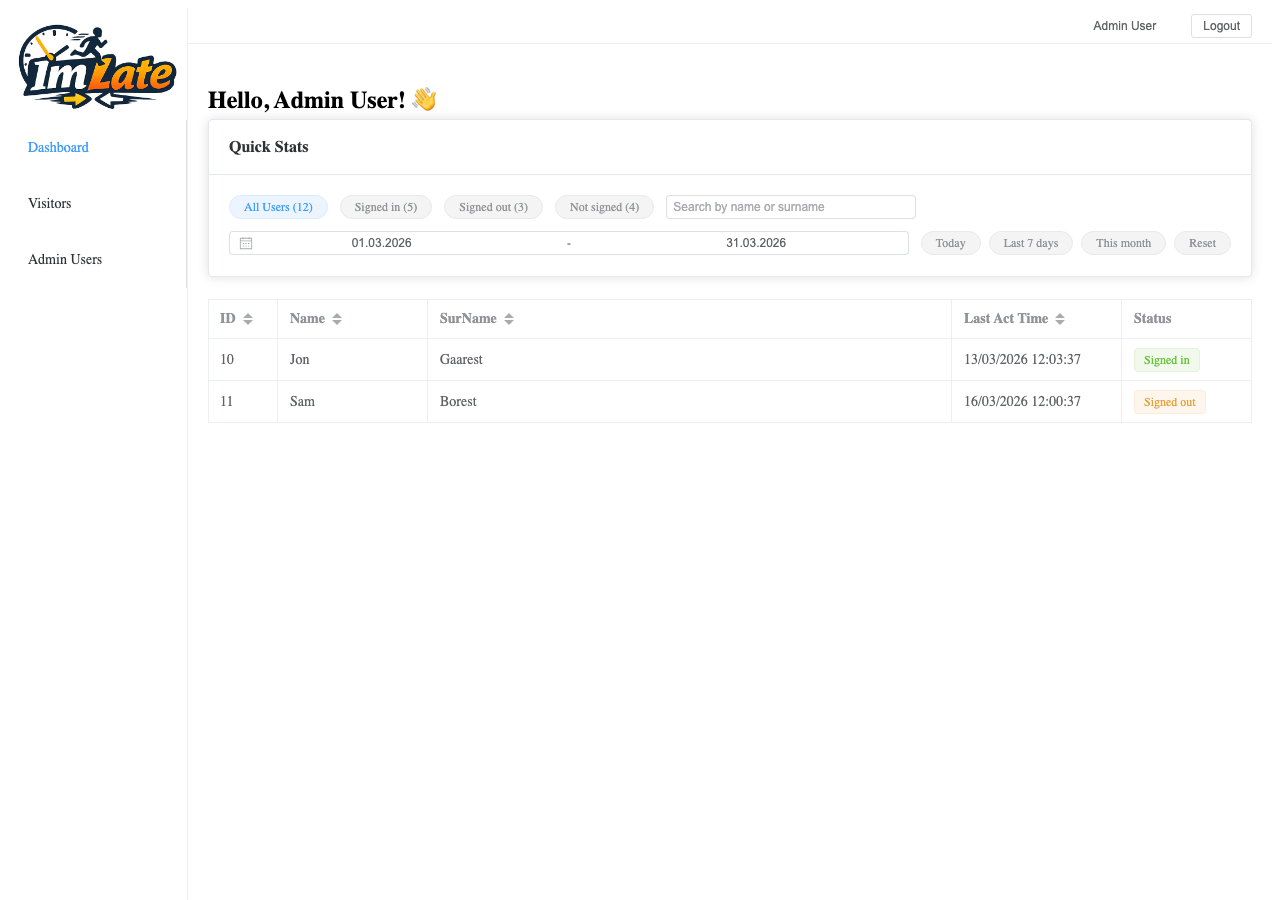
Statistics Cards
At the top of the dashboard, you see four statistics cards:
| Card | Description |
|---|---|
| All Users | Total number of registered visitors |
| Signed In | Visitors currently signed in |
| Signed Out | Visitors who signed in and then signed out |
| Not Signed | Visitors who have not signed in today |
Visitor Table
Below the statistics, there is a table showing visitor activity:
| Column | Description |
|---|---|
| ID | Visitor's unique identifier |
| Name | First name |
| Surname | Last name |
| Last Act Time | Time of the most recent sign-in or sign-out |
| Status | Current status: Signed In, Signed Out, or Not Signed In |
Filtering and Search
You can filter the visitor table using:
- Search field — search by name or surname
- Date range picker — select a custom date range
- Quick date filters:
- Today
- Last 7 Days
- This Month
- Reset (clear all filters)
TIP
Use the "Today" quick filter to quickly see who has signed in today.